
Admin: Website Controls
Sometimes you just want to make a change to your site and it’s always on a weekend, at 10pm at night, in your pajamas. Who wants to wait for Customer Service to do it?
Welcome to having control!
Website controls are only for those users with Admin privileges. You’ll see ‘Website’ in the menu on the left side of the display. When you click on ‘Website’, you’ll see the submenu to the right.
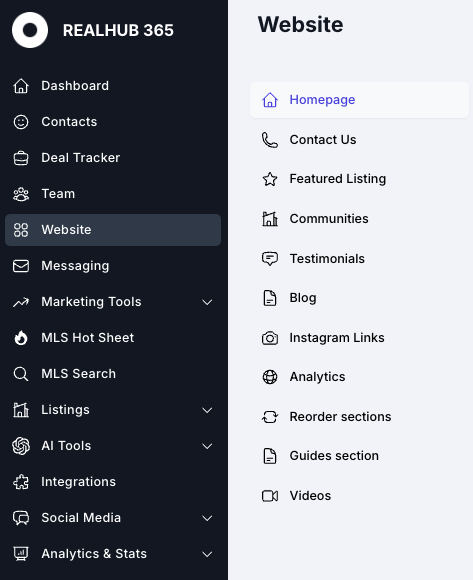
Think of your site as having all of the walls, floor and roof, and now you get to decorate it. The website management section was thoughtfully designed to be intuitive and as easy as possible to manipulate your images and text so that your site accurately represents your office.
Your site was designed with the latest industry code and enhanced with G4 Analytics tags, schema and SEO optimization to enhance the indexing exposure to search engines like Google, Bing, Google Maps and others. We’ll address each of the submenu sections on their own pages at the links below.