

Link Your Videos to Your Website
Do you use video to promote your agents and services, or to add value in the markets you serve? Link those videos to your website.
Why Link Your Videos
- ✓Gives your clients a library of content to explore, strengthening their bond with you.
- ✓Backlinks to YouTube show search engines your site is more credible and valuable.
You can link your own YouTube videos or any other valuable videos you find. Your chosen videos appear in the Main Menu on the right side of your website.
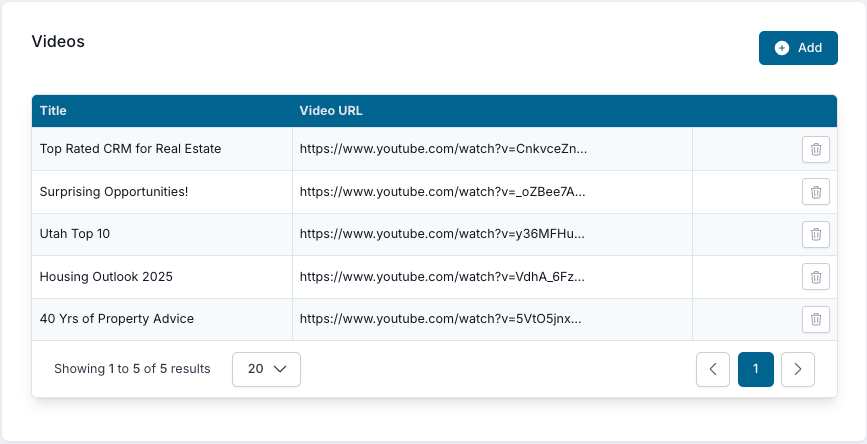
How to Link a Video
1Click Add
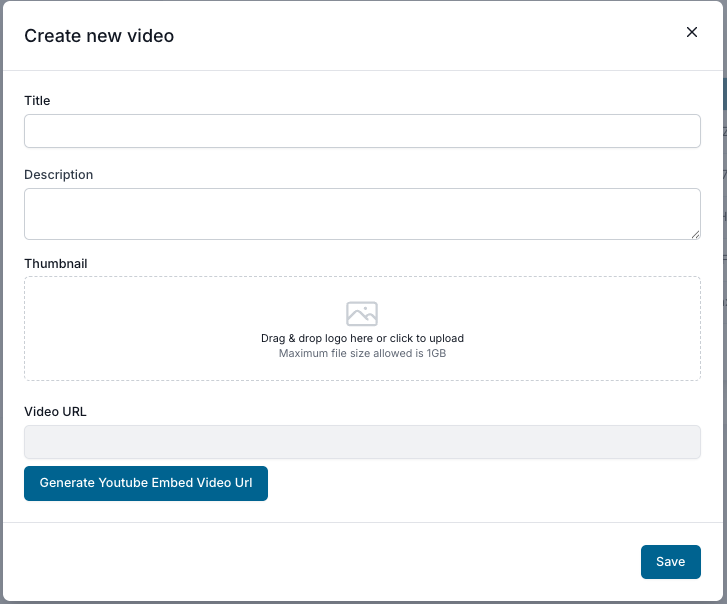
2Add the Title & Description
Copy and paste the title and description from the video.
3Upload a Thumbnail
Use the same image you chose for your YouTube upload, or any image you like. For a YouTube video you didn’t produce, we suggest taking a screenshot of the paused video.
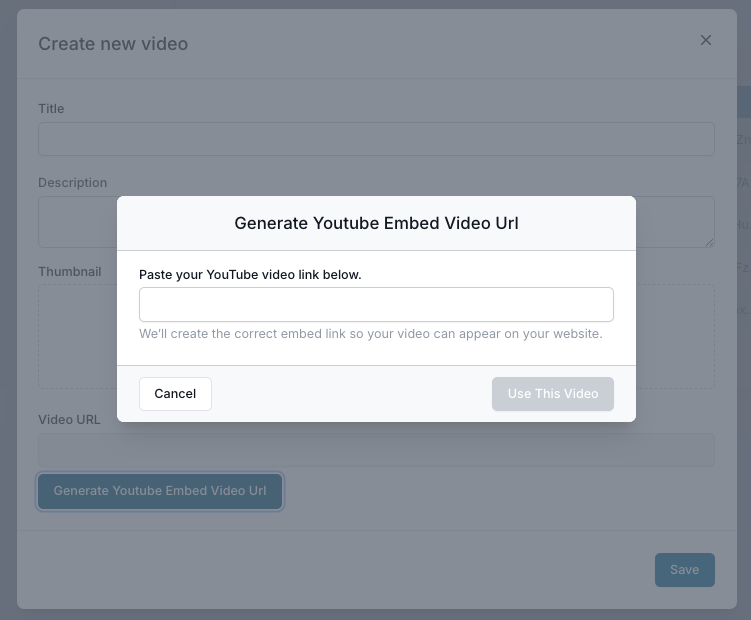
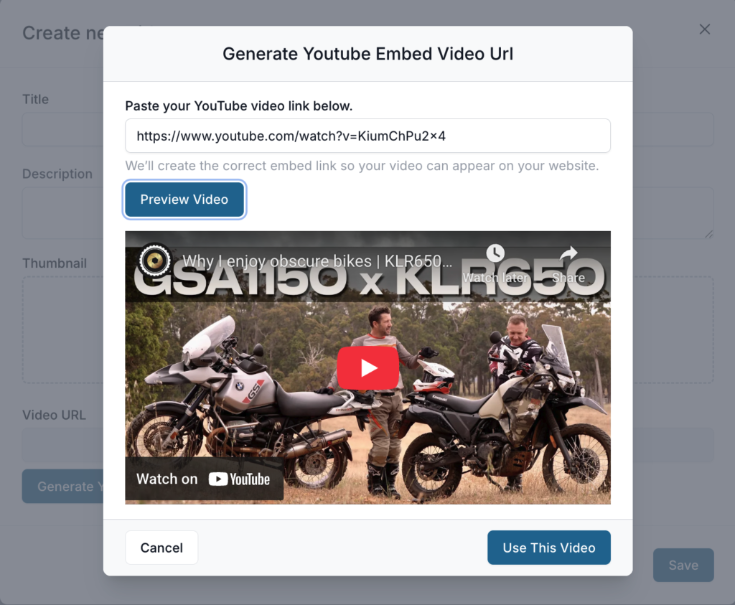
4Generate the Video URL
Click Generate YouTube Embed Video URL, then paste the video link on the page that opens.
5Preview the Video
Click Preview Video to make sure the link is active and copied over correctly.
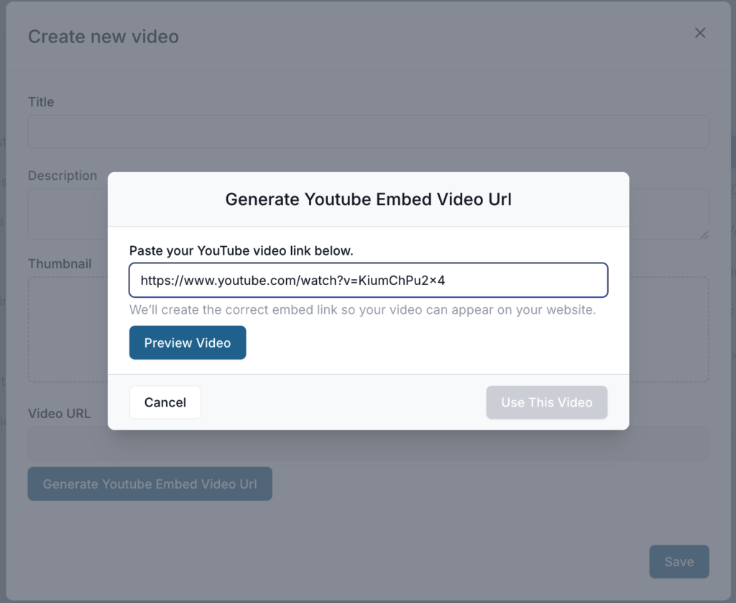
6Use This Video
If the video displays properly, you’re all set — click Use This Video.
(Note: motorcycle videos always display properly 😉)
7Save
Click Save, and your video is ready to be viewed on your website.

Build a library clients come back to
Add videos regularly — market updates, neighborhood tours, and buyer and seller tips — and use a clear, eye-catching thumbnail for each one.