Knowledge Base · Reorder Sections

Reorder Your Homepage Sections

It doesn’t get much easier than this: click a section and drag it to where you want it to appear on your homepage.

1Drag Sections Into Place

Click and hold any section, then drag it up or down. The order here is the order visitors see on your homepage.
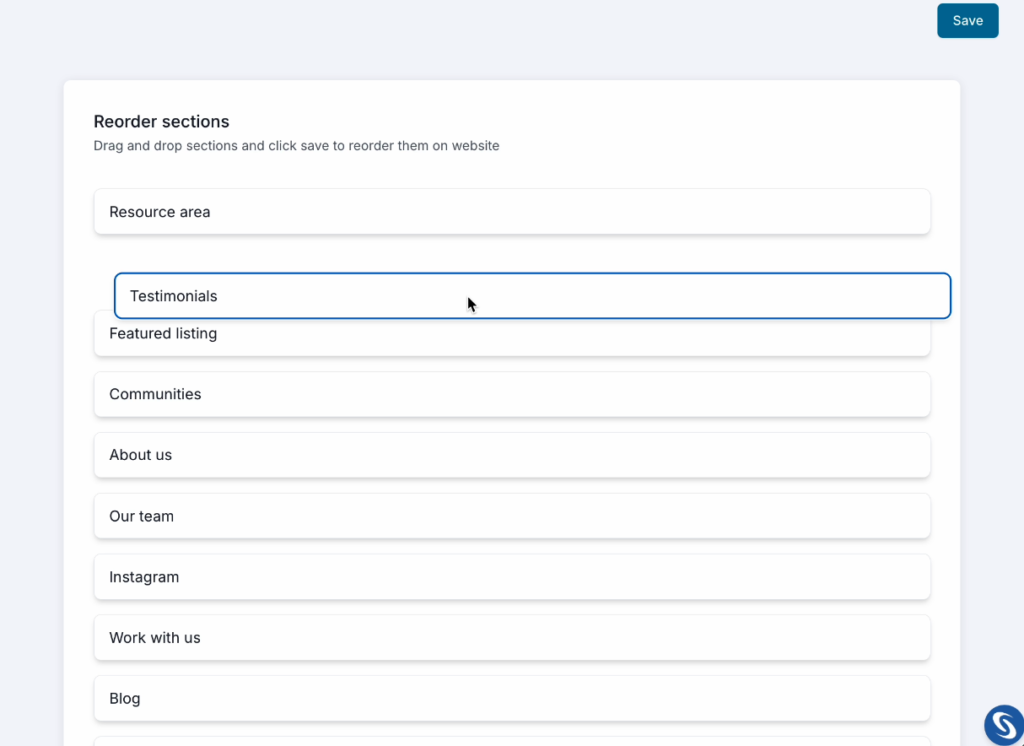

Reorder Sections list with draggable homepage sections
iSections you left empty in earlier website setup areas still appear in this list, even though they won’t display on your homepage.

2Click Save

!Important: click Save when you’re done, or your new order won’t be applied.
Save button
RealHub Best Practice

Lead with what visitors came for

Put your most valuable sections, like property search and featured listings, near the top, then check your live homepage after saving to see how the new order looks.

Next: GuidesBack to Main Menu