Guides & Resources
Buyers and Sellers alike need help and more understanding about the searching, transacting and owning processes of real estate. And your site ranks higher when you have quality content. So, it’s a win / win that you are provided a pre-populated resource section with buyer and seller guides!
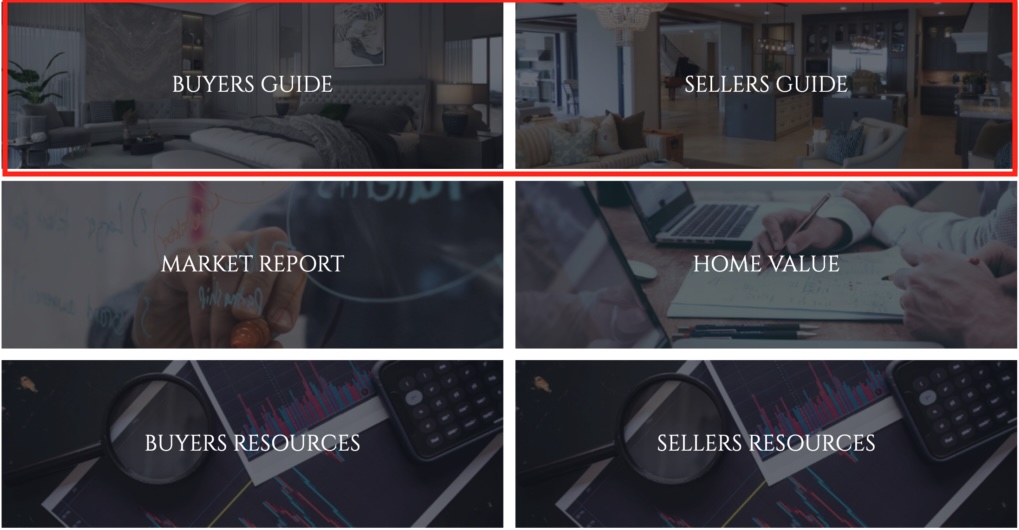
On the homepages of the main company site and personal agent sites, a visitor can access several helpful resources.

The best part – the work has already been done for you!!! Your site is already stocked with all of the material in the Buyer and Seller Guides, as well as standard documents within the Buyers and Sellers Resources. The Guides content can be modified, whereas the Resources were developed using best practices and the downloadable content cannot be modified.
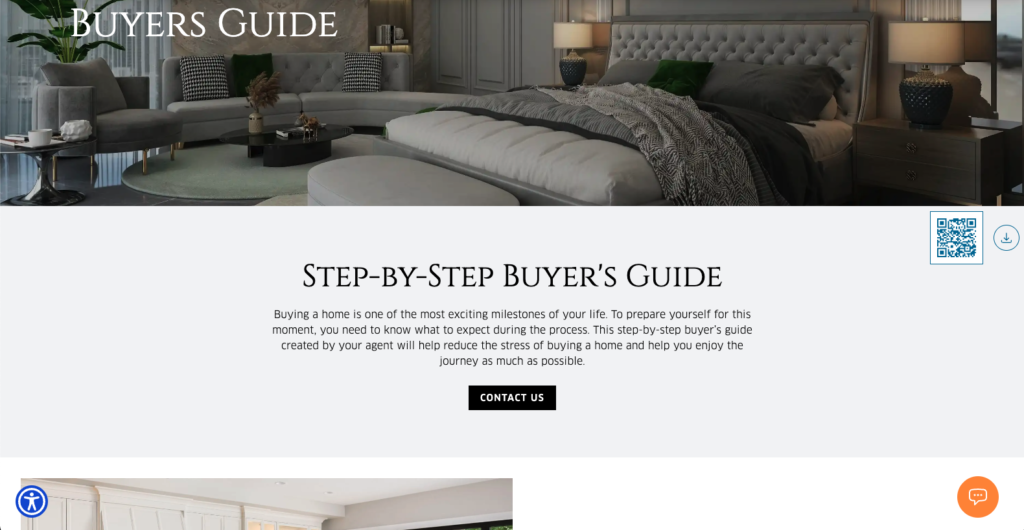
Enjoy leveraging the ability for your site visitors to generate their own Market Reports and request a Home Value that are specifically designed to capture contact information and generate leads for you.
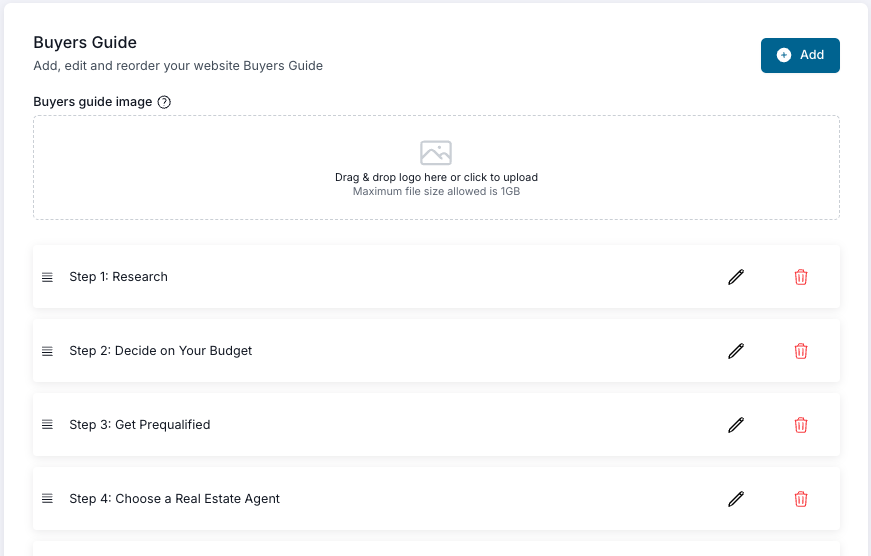
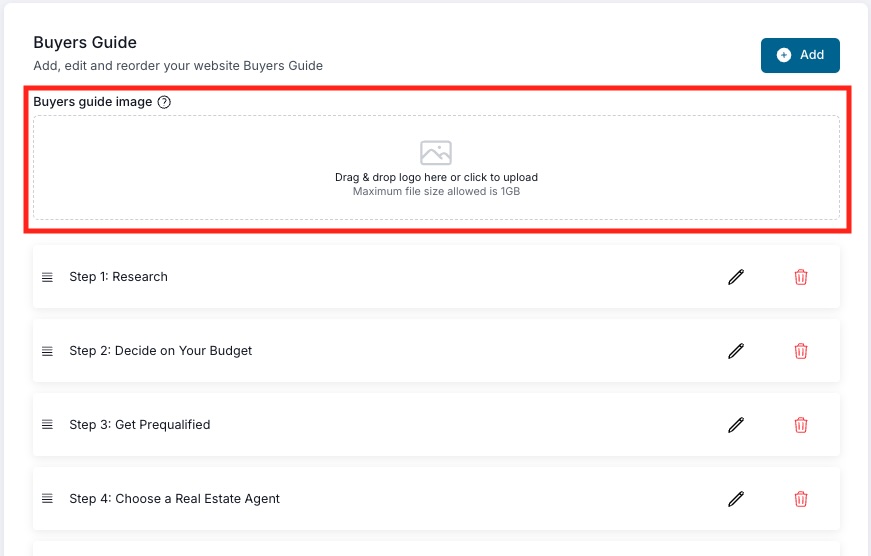
The Guides section in your CRM allows you to modify or completely overhaul the existing content to deliver exactly what you want to your prospective and current clients.
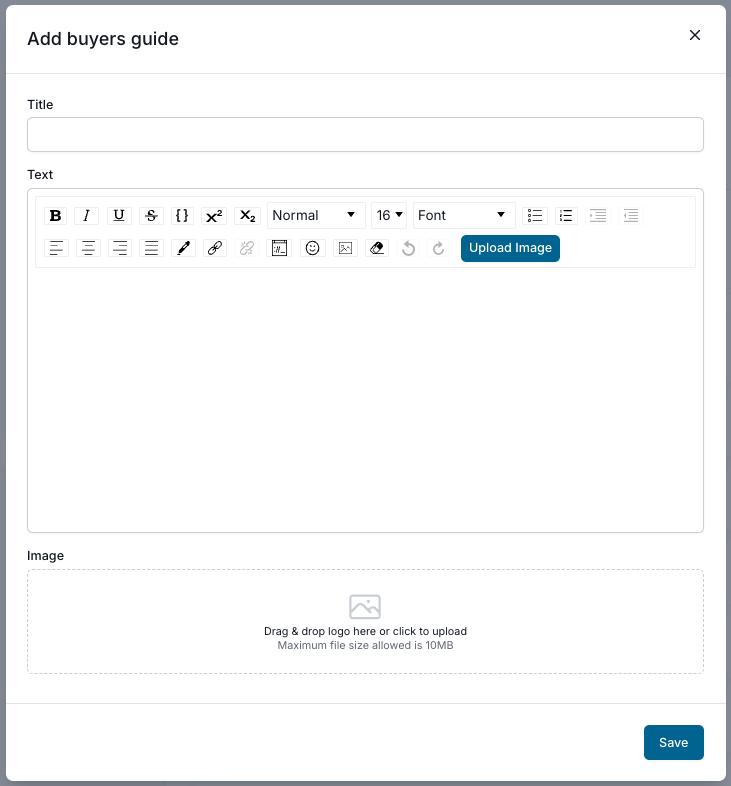
You can add your own new Guides sections using the same familiar interface you see in Templates, Blogs, and other areas of the CRM.
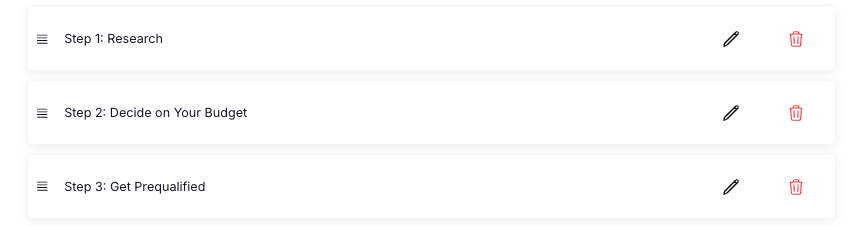
If you want to modify the existing sections, or delete them altogether, use the buttons to the right. You can also drag and drop the sections to your liking by clicking on the 4 horizontal lines to the left and dragging the card where you want it.
More Customization
When you change the image at the top of either Guides section, it will change the background image of the tile on your homepage.
Important: Make sure to click ‘Save’ after you’ve made changes so that they will publish to the website. This goes for changes made in the editor and in the overall layout. You can never be too safe, so click ‘Save’!