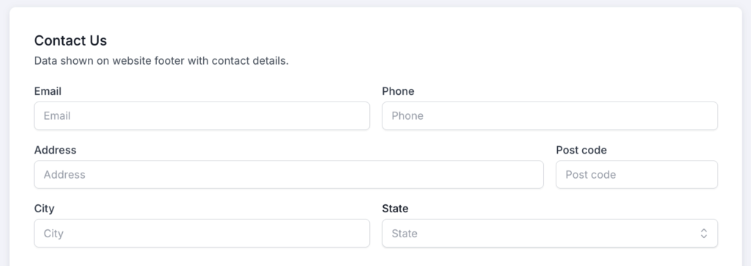
Contact Us
The information entered on this page is what will show at the bottom of the main website in the footer section. Most states require that this be the information for the brokerage.
Multiple Offices
If you have multiple offices, the address and phone number of each office can be entered into the Office you create in the Teams section of the CRM when you organize your team into offices and groups.
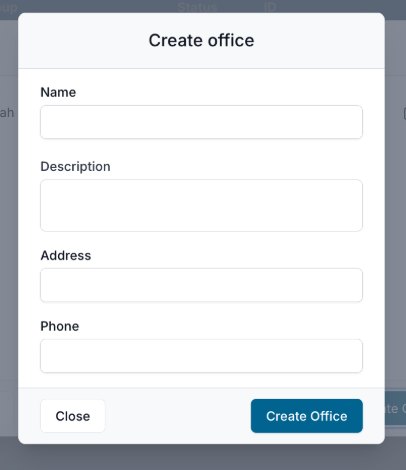
That contact information you enter in the Create Office window will be displayed in the footer section of the website as well so that all offices are equally represented.
Social Media Links
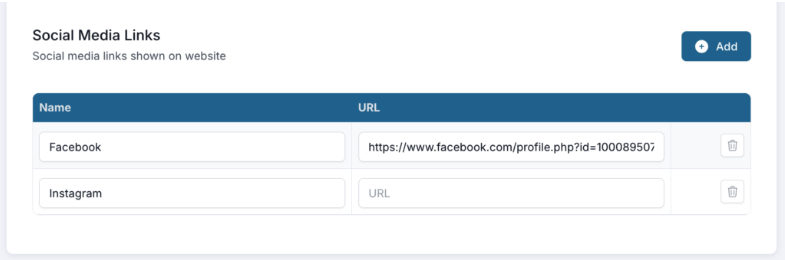
At the footer of each page, visitors can find your social media links and visit your social media accounts if you enter them here. Simply click add, provide the required information and you’ll be all set!
IMPORTANT: after you have made changes to this section, be sure to click SAVE at the top!