

Contact Communication Settings
Subscription settings are increasingly important to ensure you are acting in compliance with laws set in place by the FCC. This section provides clarity on how RealHub365 helps align your business with those requirements.
Importing Contacts
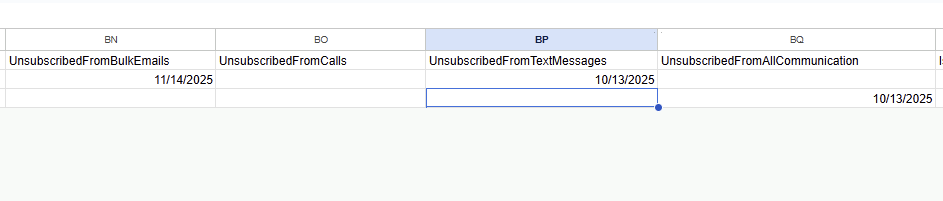
There are 4 opt-out fields in the CSV import:
- UnsubscribedFromBulkEmails
- UnsubscribedFromCalls
- UnsubscribedFromTextMessages
- UnsubscribedFromAllCommunication
If populated, the date in each field will be imported to indicate when a contact opted out of a specific communication method. If UnsubscribedFromAllCommunication is filled in, the other opt-out fields are automatically set based on that.
Contact Record
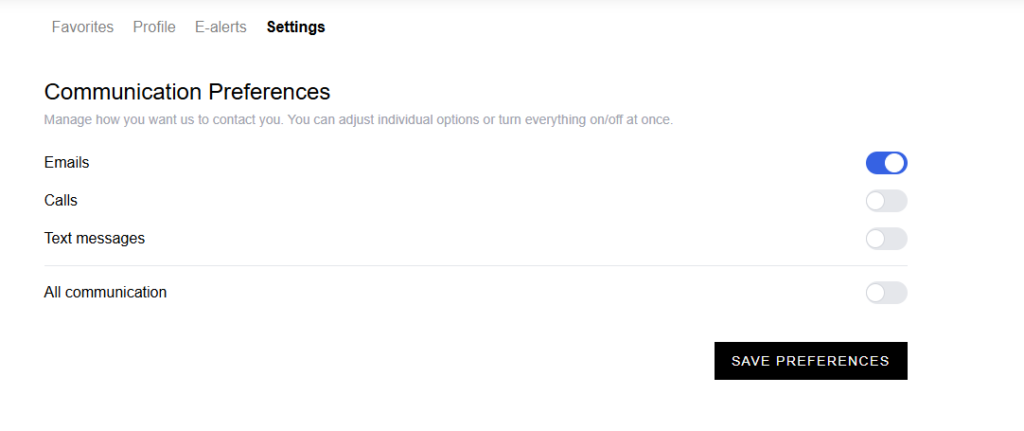
Every email includes an Unsubscribe link at the bottom. Clicking it opens a page where the contact can manage their communication preferences. If the lead has a website account, they can also update these preferences from their account settings on the same page. This is also the same area you can go into to manually update those preferences.
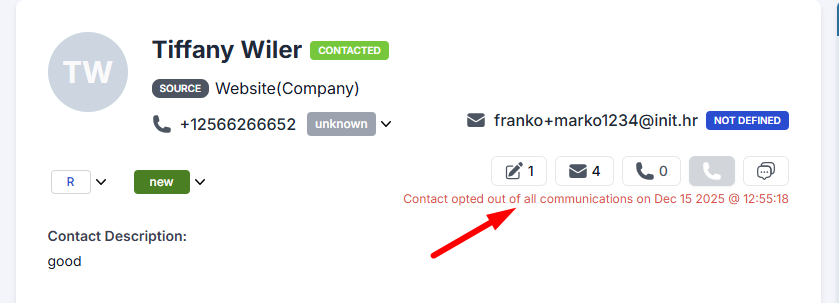
If the contact opted out of everything, it shows: “Contact opted out of all communications on {date}”.
Some Sending Logic
It’s important in real estate to abide by FCC regulations. We take this seriously in order to protect your business. Email, text, and call actions are disabled for opted-out contacts. If an agent sends a bulk email, that contact will automatically be skipped and will not receive the email.