The last step in going live is to point your domain toward RealHub365 servers. This is also referred to as changing your DNS settings. As there are multiple options for domain hosting, we’ll provide instructions from within the most popular source — GoDaddy.
You can choose from these options to make the necessary DNS settings change:
Option 1 — Delegate Access
Option 2 — Manage Your Own Settings
You can ‘Delegate Access’ to RealHub365 from within your domain management account so that we can make the necessary changes for you. If you’d prefer to go that route, please follow the steps below:
Log into your domain registrar’s website and select the domain for your business website.
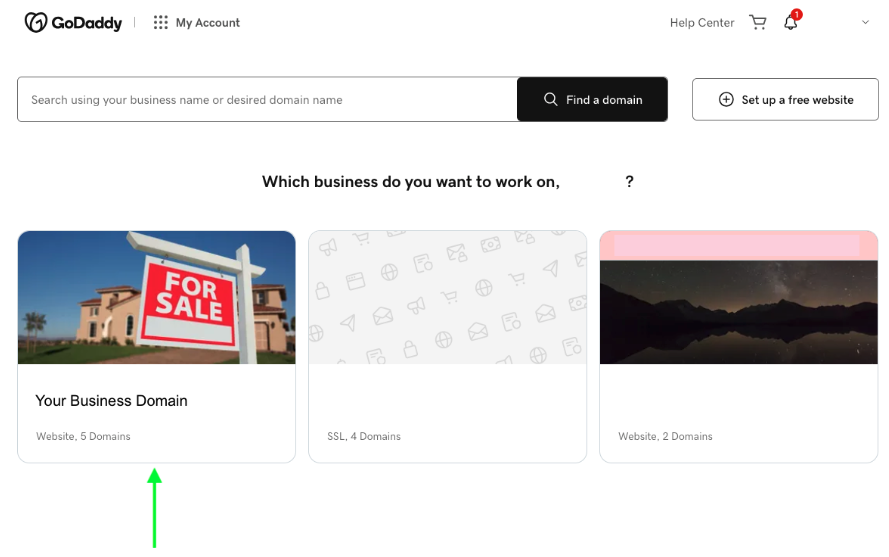
Locate the Products or Domains section and then choose Manage DNS.
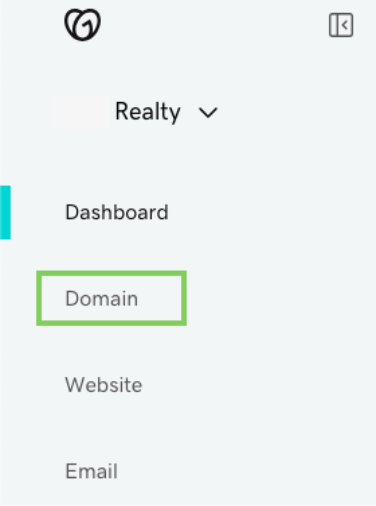
Select ‘Manage DNS’.

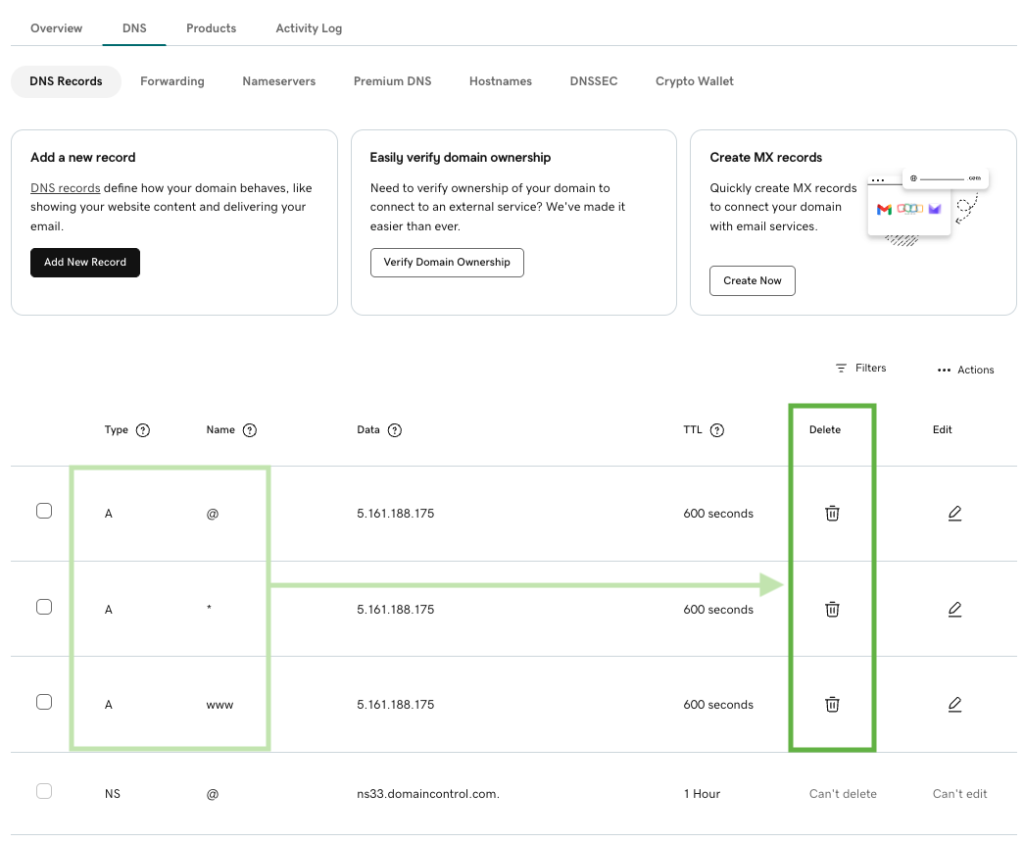
Delete each of the ‘A’ records shown below by selecting the trash can icon on the right.
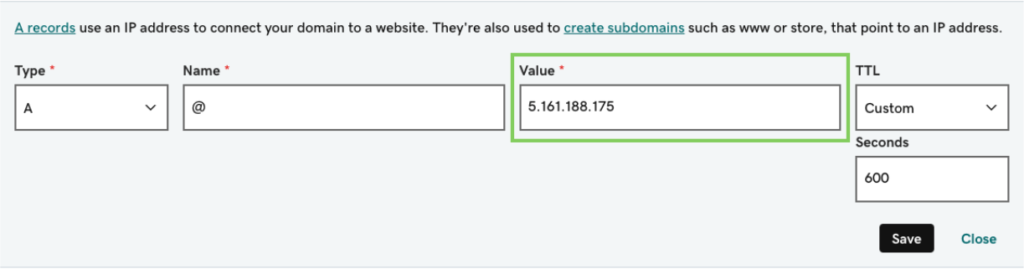
Select the “Add New Records” button. You’ll repeat this process 3 times. Here’s what you need to enter for each new record:
| New Record 1 | New Record 2 | New Record 3 |
|---|---|---|
| Type: A Name: @ Value: 5.161.188.175 TTL: Custom Seconds: 600 | Type: A Name: * Value: 5.161.188.175 TTL: Custom Seconds: 600 | Type: A Name: www Value: 5.161.188.175 TTL: Custom Seconds: 600 |
The same value will be used each time: 5.161.188.175. Be sure to click Save after each new entry.
Let your rep know that it’s done so RealHub365 can finish taking you live!
