You’ve finally pushed that listing live — now your client wants to see their property on your site. Admins choose the listings featured on the main company homepage, and each agent chooses the listings featured on their own agent subdomain.
Go to Website in your RealHub365 menu and open Featured Listing in the submenu.
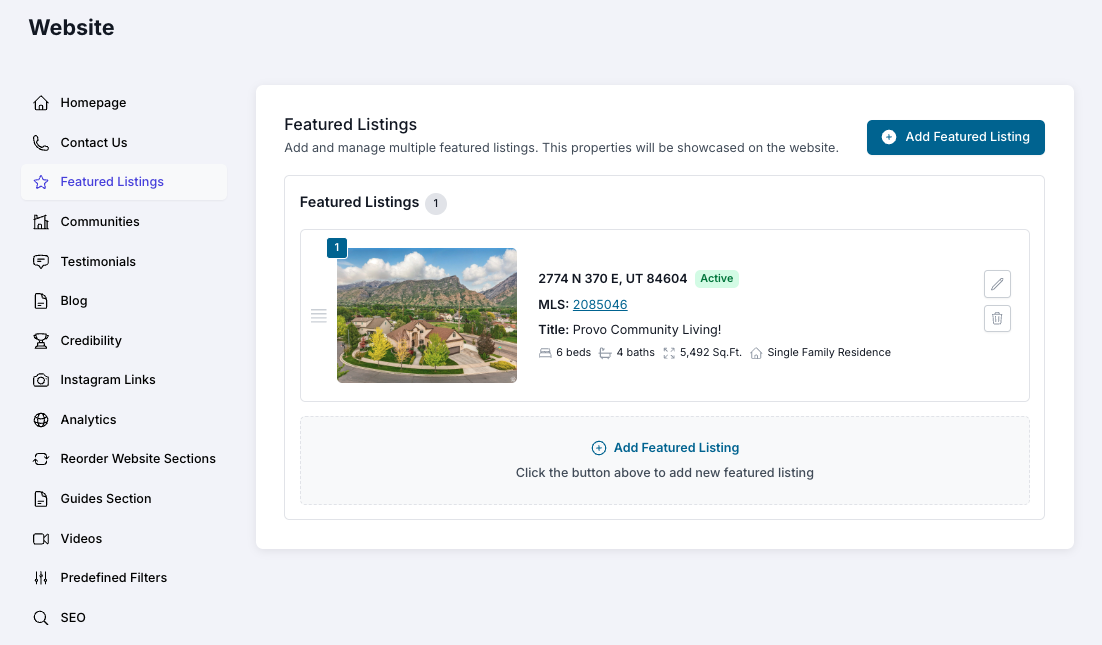
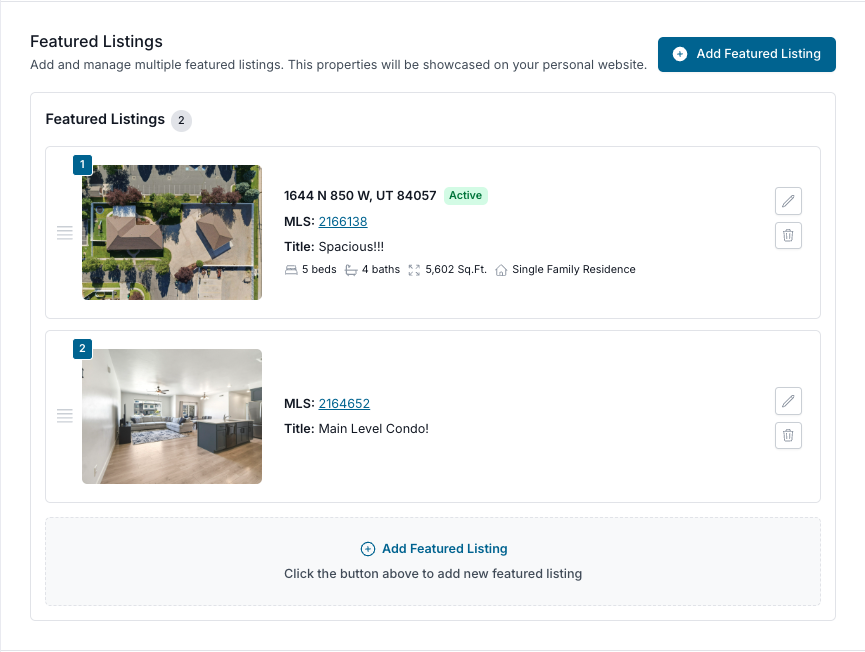
Open your Profile (bottom left corner of the platform) and scroll down to near the bottom for the Featured Listing section.
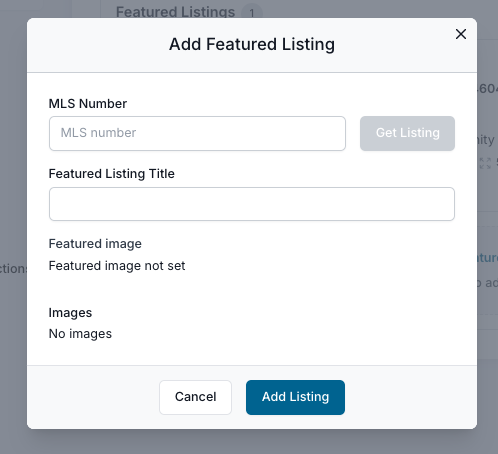
Enter the MLS number of the property you want to feature, then click Get Listing to pull in its images.
Whatever you type here overlays the image in the Featured Listing section.
Select the image you want displayed on the homepage — this step is required.
As many as you like. But based on how long visitors typically spend on a page, most will only see three or fewer — so put your most important listings first.
Most visitors will only see your first few featured listings, so choose a standout photo, write a short title that sells, and keep your top three current.
