Featured Listing
The admin will determine what listing will be featured on the homepage of your main company website.
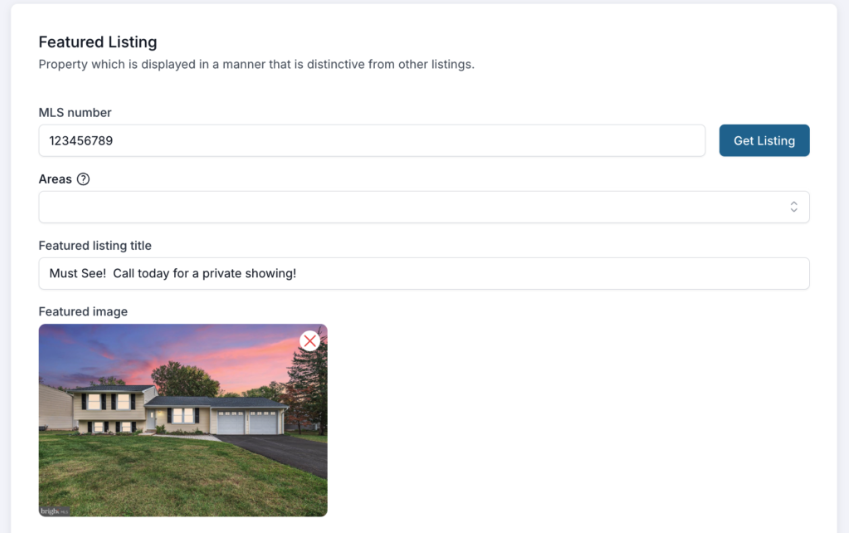
MLS Number – enter the MLS number of the property you want to feature and then click on the ‘Get Listing’ button to populate the images.
**IMPORTANT**
Areas – This field is VERY IMPORTANT. If you leave this field empty, then all properties within your MLS(s) will be available in search results on your website. Team members can still select communities and refine their own service areas for their personal sites as usual. However, if your company only services specific parts of your MLS, then you can select those areas in this field to refine the overall property search results for your entire site.
Featured Listing Title – Whatever you type here is going to overlay on the image in the Featured Listing section.
Featured Image – This is the image that will display on the homepage. You must select the image you want to be displayed.
Featured Listing on Agent Websites
Agents can decide which Featured Listing they want shown in their personal website. Visit the Agent Profile for more information on this feature.
IMPORTANT: after you have made changes to this section, be sure to click SAVE at the top!