

Market Reports
Market Reports can be provided to your clients in two ways:
- Automated
- Manual
Automated Market Reports
At the top of the Market Reports section, there is an option to turn on Automated Monthly Market Reports. This eliminates the need for you to generate recurring manual reports for your contacts.
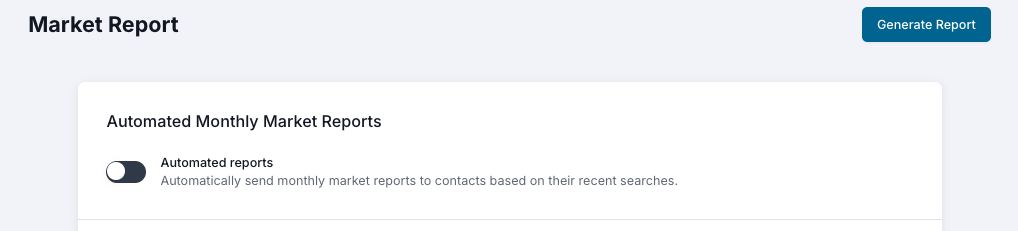
This is a general setting. When turned ON, all contacts who have website search history will receive a monthly report. Reports are emailed on the 1st of the month. You have the ability to analyze the search criteria that makes up the automated reports by going into a Contact Record and selecting the Searches tab. If the contact has performed searches, you’ll see a list of them at the top of that tab.
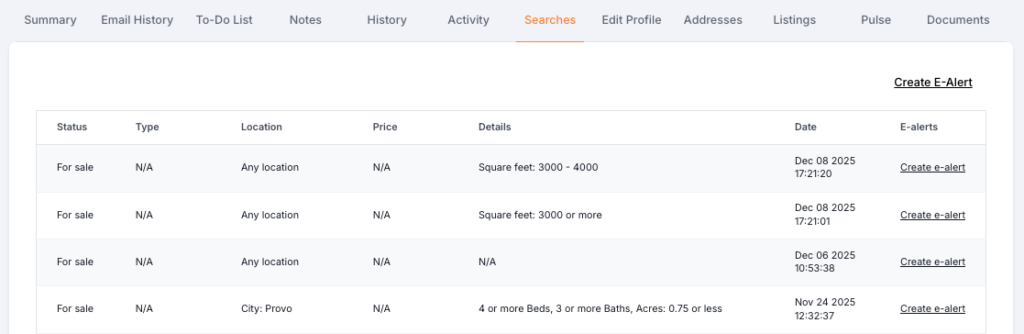
As the search criteria changes based on the contact’s search patterns, the market reports will also adjust.
Manual Market Reports
Quickly create market reports for your contacts when desired and then send those market reports individually, in bulk, share on social media, or download the report to use as needed.

Select Bulk Email to produce a screen that allows you to send both a singular email OR bulk email based upon the contact selection.
To create a report, input the criteria you want and then select ‘Generate Report’ at the top of the screen. These filters cannot be saved for future use. If you want recurring future reports sent, use the Automated Reports feature.
If a contact wants to stop receiving the automated market reports, they can unsubscribe individually, which removes them from the pool of recipients.